
Last updated on
Oct 2, 2026

TSP-79 2012-2026 free printable template
pdfFiller is not affiliated with any government organization
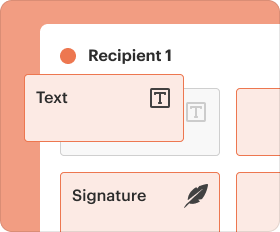
Fill out
Complete the form online in a simple drag-and-drop editor.
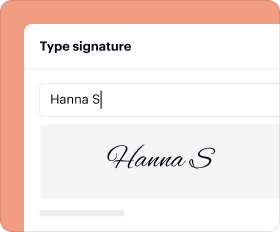
eSign
Add your legally binding signature or send the form for signing.
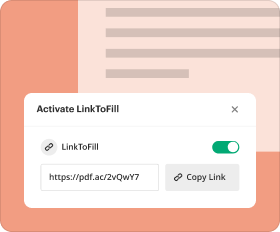
Share
Share the form via a link, letting anyone fill it out from any device.

Export
Download, print, email, or move the form to your cloud storage.
Why pdfFiller is the best tool for your documents and forms


End-to-end document management
From editing and signing to collaboration and tracking, pdfFiller has everything you need to get your documents done quickly and efficiently.
Accessible from anywhere
pdfFiller is fully cloud-based. This means you can edit, sign, and share documents from anywhere using your computer, smartphone, or tablet.
Secure and compliant
pdfFiller lets you securely manage documents following global laws like ESIGN, CCPA, and GDPR. It's also HIPAA and SOC 2 compliant.
What is TSP-79
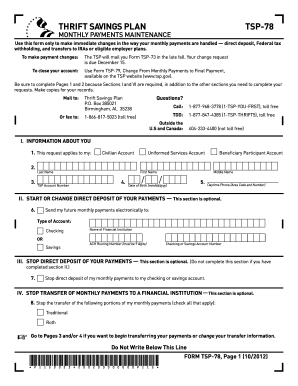
The TSP-79 Form is a government document used by Thrift Savings Plan participants to request a final single payment from their TSP account, closing the account.
pdfFiller scores top ratings on review platforms




Who needs TSP-79?
Explore how professionals across industries use pdfFiller.

TSP-79 is needed by:
-
Thrift Savings Plan participants seeking account closure
-
Notaries validating participant signatures
-
Financial advisors assisting with TSP requests
-
Tax professionals advising on TSP withdrawals
-
Account administrators handling TSP transactions
-
Individuals undergoing major life changes affecting TSP accounts
Comprehensive Guide to TSP-79
What is the TSP-79 Form?
The TSP-79 form is a crucial document for participants in the Thrift Savings Plan, serving as a final payment request for closing their TSP accounts. This form is essential for ensuring that all personal information is accurately provided, facilitating a smooth account closure process. It specifically requires details such as 'Last Name First Name Middle Name' and 'TSP Account Number'. Without proper completion of the TSP-79 form, transitioning away from a TSP account may be delayed or hindered.
Purpose and Benefits of the TSP-79 Form
The TSP-79 form allows participants to efficiently request a final payment from their TSP account, bringing several advantages. By utilizing this form, participants can ensure a swift closure of their TSP accounts, which can be beneficial in terms of managing their finances. Completing the TSP-79 form accurately is key to promoting timely payments and avoiding unnecessary delays. Participants can comfortably manage their transition from the TSP system by following the established procedures.
Key Features of the TSP-79 Form
The TSP-79 form encompasses several important features that enhance its functionality:
-
Required notarization ensures the authenticity of the signatures.
-
Options for direct deposit simplify the transfer of funds.
-
Inclusion of additional tax withholding options allows better financial planning.
-
Signatures are mandatory from both the participant and the notary, validating the submission.
Eligibility Criteria for the TSP-79 Form
Only eligible participants of the Thrift Savings Plan can utilize the TSP-79 form. This eligibility typically encompasses those who are closing their accounts under specific circumstances, such as retirement or unemployment. Additional considerations may include certain age restrictions or account balance requirements. Understanding these criteria is crucial for ensuring that the process goes smoothly.
How to Fill Out the TSP-79 Form Online (Step-by-Step)
Filling out the TSP-79 form online can be straightforward if approached methodically. Follow these steps to complete it without errors:
-
Access the online version of the TSP-79 form from a secure source.
-
Carefully enter your personal information, including your 'TSP Account Number'.
-
Select your preferred payment method, ensuring direct deposit if desired.
-
Review your entries for accuracy to avoid rejections.
-
Submit the form electronically for processing.
It's advisable to check for common mistakes during this process to ensure accuracy and compliance.
How to Sign and Notarize the TSP-79 Form
Signing and notarizing the TSP-79 form is a critical step that involves clear procedures:
-
Both the participant and the notary must provide their signatures for validation.
-
Participants have the option to choose between digital signatures and traditional wet signatures.
-
Finding a reputable notary can often be accomplished through local listings or online services.
Submission Methods and Delivery for the TSP-79 Form
Submitting the TSP-79 form can be done in a few different ways, each suited to different preferences:
-
Online submission through authorized platforms.
-
Mail submission to the specified address.
-
In-person delivery at designated TSP service locations.
Participants should confirm the address and check for any associated fees related to their chosen submission method.
What Happens After You Submit the TSP-79 Form?
After submitting the TSP-79 form, participants can anticipate several steps in the processing stage. The typical timeline for processing a final payment request can vary based on workload. Participants can track the status of their submissions through relevant channels. Should a form be rejected, it is important to understand common rejection reasons and the necessary steps for rectification.
Security and Privacy for the TSP-79 Form
Handling sensitive information on the TSP-79 form necessitates strict adherence to security protocols. pdfFiller is committed to ensuring data privacy and implements robust security measures to protect users' information throughout the completion and submission process. Compliance with regulations such as HIPAA and GDPR is a fundamental aspect of safeguarding personal data.
Using pdfFiller to Fill Out the TSP-79 Form
Leveraging pdfFiller's capabilities offers users several beneficial features for managing the TSP-79 form:
-
Fillable forms streamline the data entry process.
-
E-signing capabilities facilitate fast and secure sign-offs.
-
Templates and online access ease the formatting and completion of the form.
With pdfFiller, users can confidently complete their paperwork while ensuring both security and efficiency in managing their TSP-79 forms.
How to fill out the TSP-79
-
1.Access the TSP-79 Form by navigating to pdfFiller and searching for 'TSP-79 Form' in the form library.
-
2.Open the form by clicking on it, which will allow you to view and edit the document within pdfFiller's interface.
-
3.Before you begin filling out the form, gather all necessary information including your last name, first name, middle name, TSP account number, and direct deposit details.
-
4.Utilize the fillable fields provided in pdfFiller to input your personal information in the designated areas such as 'Last Name', 'First Name', 'Middle Name', and 'TSP Account Number'.
-
5.If applicable, check the box for optional additional tax withholding and make sure to fill in those details.
-
6.Navigate to the areas requiring signatures; ensure you sign the document as the participant, and prepare for notarization later.
-
7.Once all information is filled out, review the form for any errors or missing information using pdfFiller's preview function.
-
8.Finalize the form by checking all fields and signing where necessary before the notary reviews it.
-
9.After confirming that all sections are complete, save your form by selecting the appropriate save option in pdfFiller.
-
10.You can download the completed form to your device or submit it as directed by the form's requirements.

Who needs to fill out the TSP-79 Form?
The TSP-79 Form is required to be filled out by Thrift Savings Plan participants who wish to request their final single payment and close their TSP account.
Is notarization necessary for the TSP-79 Form?
Yes, notarization is required for the TSP-79 Form. Both the participant's signature and the notary's signature must be included for the form to be processed.
What information do I need before completing the TSP-79 Form?
Gather your last name, first name, middle name, TSP account number, direct deposit information, and details regarding optional tax withholding before starting the TSP-79 Form.
How do I submit the TSP-79 Form after completing it?
Once completed and notarized, the TSP-79 Form can be submitted according to instructions provided by the TSP or your financial institution; this may include mailing, faxing, or electronic submission.
What are common mistakes to avoid when filling out the TSP-79 Form?
Common mistakes include neglecting to notarize the form, providing incorrect personal information, and failing to check optional tax withholding if applicable.
How long does it take to process the TSP-79 Form?
Processing times for the TSP-79 Form can vary. Typically, it may take several weeks to process after submission, depending on the TSP's workload and any additional requirements.
Are there any fees associated with submitting the TSP-79 Form?
Generally, there are no fees directly associated with submitting the TSP-79 Form. However, check with your financial institution for any related charges.
Related Content
Related Forms


Get the latest insights from our blog


If you believe that this page should be taken down, please follow our DMCA take down process
here
.
This form may include fields for payment information. Data entered in these fields is not covered by PCI DSS compliance.